2008年10月31日星期五
Ubi继刺客信条之后,又一新作,I Am Alive,2009面市!
FarCry2初玩

玩家需扮演一名前往非洲的刺客,刺杀当前造成非洲动荡局面的一个名叫Jackal的军火贩子,这家伙向非洲最大的两个敌对军团UFLL和ARP分别倒卖高级军火,造成局面的不断混乱.
在游戏初期,你根本无法活下来,到处都是AK,到处都是杀人如麻的暴徒,你的目标,刺杀Jackal,不得不缓一缓,还是先巴结UFLL或是ARP两派中的一派吧,完成他们的任务,你可以得到枪支,钻石,这些东西,可以让你在这个战乱的世界存活,也许可以让你离你的目标Jackal,更进一步.
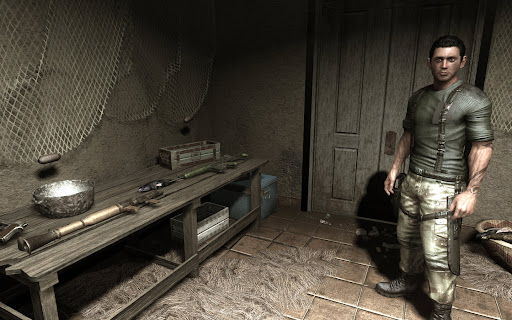
加入UFLL帮派
游戏拥有非常大的世界,意思就是地图,而且是无缝地图,意思是,你可以步行或者驾车,在地图上任意驰骋,而不会中断,不会出现新的地图在Loading...,当然,如果你乘坐游戏中的巴士,直接跨区,还是需要读档的.
地图中有非常细腻详实的非洲地貌特征,除了众所周知的非洲大草原,还有森林,湖泊,甚至是一些常见的草原动物,如斑马,瞪羚,山羊,角马.可惜没见到有犀牛大象长颈鹿什么的.
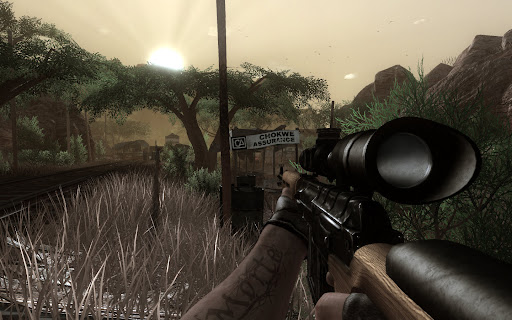
还算丰富的地貌和天气
游戏有枪支损毁系统,即任何捡到的枪支,基本上都是半废的,可以射击,但时常会卡壳,还会爆膛.所以,如果你不愿意用钻石去购买全新的枪支,而是捡来的抢来的,你可能会面临路遇敌人而卡壳被活活枪毙,或者发射火箭弹却被炸到脚的危险.武器有最初级的大砍刀,有侦查用的无声手枪和消音MP5,也有中型的AK,M16和Dragonov,甚至大型的火箭筒和榴弹炮.你除了必须购买他们,还需要不断的花费钻石来升级他们(就是让他们卡壳爆膛的几率更低),全新的枪支也会慢慢用旧.
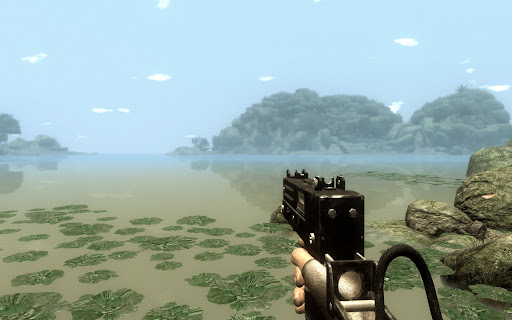
大到让人不知所措的世界
游戏的AI有点问题,敌人要么是对你视而不见,忙乎着自己的那套躲闪和偷袭理论,要么是对你大张旗鼓,恨不得整个车队都冲过来撞死你.可惜这样的话,前面说到的消音武器几乎就派不上用场,因为偷袭敌人某个哨卡,很少能不惊动他们的.杀死任何一个哨兵,都会马上被发现.随后无非又是高举高打了.这和刺客信条里面的HighProfile真是不谋而合,可惜的是,人家即使高调,大街上搞暗杀都没人看见.你这高调,几乎可以把非洲炸平了.
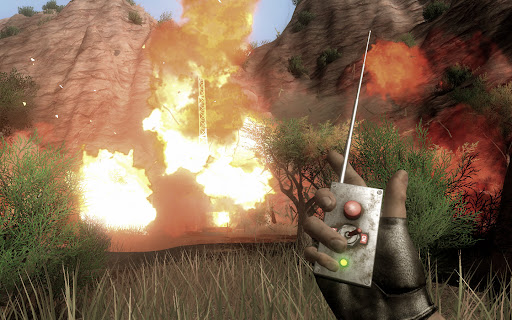
多种方式去摧毁一个目标
游戏缺少剧情化的过渡,情节异常的单调.即使是再单调的过关性游戏,也总得有几个新鲜的风景或是人物出马啊,这里面几乎全无.从一开始加入UFLL,执行各式各样的暗杀爆破任务,都后期被UFLL出卖,所有积蓄清零开始,游戏中的风景全部是从沙漠到湖边,再到森林最后到小镇,你也可以反过来走,但看到的也一样.游戏中还加入了Buddies情节,你可以在某些地点救出人质,而这些人质可能会成为你的伙伴Buddy,然后,他们不但可以在你快死掉的时候神奇的出现,救你半条命,还可以在你接到UFLL或ARP任务的时候,给你更多的线索.但问题是,UFLL或ARP的任务也许只用开车10公里,听了Buddy的建议,你可能需要绕20公里去找个线索,再绕回20公里去完成原先的那个任务.在没有新鲜剧情的驱使作用下,开车的过程,就像从深圳开到黄石一样,只能兴奋个半小时,接下来就是要命了.
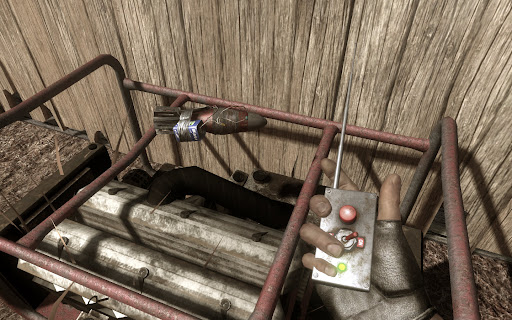
也可以大材小用
载具,游戏除了传统的装载了机枪的越野车和汽艇外,还加入了小轿车和Jeep,对,那个著名的美国越野车名牌.此外,还加入了车载穿甲弹版的越野车和车载榴弹发射器版的越野车,还加入了滑翔翼.但这个滑翔翼我只碰到过两次,而且一点都不好玩.滑上三百米左右,就Biaji的啃泥了.很多玩家都期待可以由飞机开,显然游戏中那两个机场,和里面停放的非常逼真的私人飞机吸引了他们,而且游戏中,的确出现过玩家的Buddy开着飞机撒农药的剧情.可惜,没有听到任何消息,可以解开飞机的锁.
游戏里加入了全天候的概念,这不是首创,但效果确实不错,游戏中,除了每天固定的早晚变化,白天黑昼外,你会随机的遇上狂风骤雨还有沙尘暴.在有狂风的天气,你甚至可以用火攻的方式,直接将整个营盘的敌人烤全羊,不过,一定要注意风向.遇到实在糟糕的天气,你也可以选择睡觉,定个时间,然后天气,Piaji,就变了,只不过会不会变更糟就看运气了.
总之,游戏的环境营造得不错,但任务模式和AI人工智能,却实在低到不行.举个简单的例子,接到任务后,你第一件事情,就是从大概景新花园这里一路开到关外,然后杀死目标.你可以坐巴士去,但你得先开车去巴士站,而那里相当于从景新花园开到会展中心,坐上巴士到站了,你还得继续开车这么远才能到达目标所在地.而你前期准备的所有枪支,则几乎派不上用场,一把手枪,一只火箭筒,几颗手雷,可以解决大部分重复和无趣的战斗.而我怀疑到后期,没人可以挺过去和敌人鏖战,估计都是杀了目标就开车走人,因为太无聊了.
这个月,有很多分散玩家视野的游戏面市,FallOut3,NBA2K9,Bully,也许跟这些游戏一起上市,也许因为前作带给玩家的震撼,FarCry2的出现,和他的非洲题材,让不少人惊叹了一阵继而又失落了很久.
国王杯 皇家马德里X : X皇家联合

2008年10月21日星期二
最近玩过的一些游戏
但还是蛮值得的.当你开启各种特效和渲染后,游戏中的世界果然多了一种奇异的调调.光线的眩晕,倒影的变化,最重要的是,任何移动都不再犹豫,行为举止都变得顺畅.
话说我的老哥们7900GS实际上也不是不值一提.07年包括之前的所有游戏,基本上都可以流畅的玩下来.问题是型号里面不带个8字,感觉跟不上时代.如今的9800GTX+,估计今明两年是不在话下了.
BioShock 生化奇兵
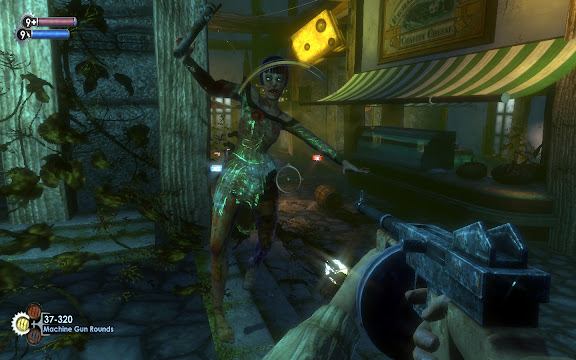
很复杂的游戏系统,剧情安排也有张有弛.剧情设定在二战后的大西洋海底,某人开发了一座海底城.主角飞机事故,无意中发现了此地,才知道自己将是决定这座城市命运的唯一.游戏的设定,包括环境,画面,音乐,音效都非常优秀,大量Ragtime的爵士乐和复古的装饰,除了那些面目可憎的Slicers,你会感觉像是置身于禁酒令时的美国芝加哥.由于游戏营造的背景比较复杂,在中文包出来之前,只能当成一个科幻系的FPS来玩,等完全汉化了,游戏中蕴含的人类文明之类的探讨才会慢慢浮现.升级补丁前的游戏有很多bug,比如字幕不对齐之类,不过打了补丁会好很多.
Brother in Arms : Hell's Highway 兄弟连之地狱高速
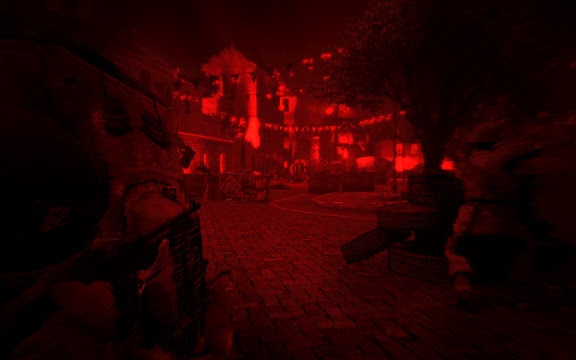
除了游戏本身,之中穿插的剧情不错.故事描述的是二战中,英美联军发动市场花园行动,希望以空降兵和步兵快速挺进荷兰安亨,随即杀入德军腹地的事件.事实是,英美联军错误的估算情报,包括一架坠毁的飞机所携情报被德军截获,最后惨败.游戏中的故事就是这一段,所以叫地狱高速.中间还发生了一些很诡异的事件,虽然只是主角内心压抑产生的幻觉,但还是给玩家不小的恐怖震撼.兄弟连的特点就是在狭窄的线路上行进,加上队友的火力支援.但这种模式久了,会让人疲劳和昏厥.好在游戏进程很短,大概7~8个小时就可以通关.另外,游戏中强化了光影效果,比如在月色下,人物就会映射出冷调的光线,而日光或炮火下,环境也相应的铺上暖色调.但按综合技术含量来说,它只能算10月到年底这个游戏大作狂风般席卷全球的暴潮中一滴慰藉心灵的雨水罢了.
Rainbow6 Vegas & Vegas 2 彩虹六号维加斯系列
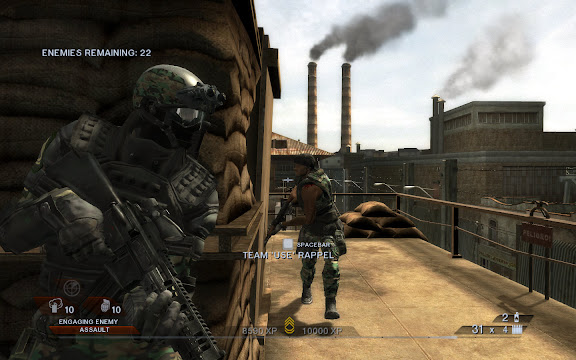
彩虹6是那个年代男生宿舍的唯一爱好.RB6是一个虚构的特勤小组,由国际反恐和维和组织管理.专门执行一些秘密暗杀啊营救人质啊拆除炸弹啊的任务,看来除去反恐和维和的名头开来,RB6干的事情和SWAT没什么俩样.
起先的RB系列讲究的是策略,先详细的在地图上分配任务,再带领三个分组分开执行.三个小组的暗号也很酷,A组叫Alpha,B组叫Bravo,C组叫Charlie,目标或敌人叫Tango.假设任务是进一座别墅,营救人质.你就得选择进入口,还要留意对方巡逻的路线等等,一旦被主动发现,对方都懒的跟你对打,直接就杀人质了.所以难度极高.
而现在的Vegas系列,似乎更讲求主观娱乐性,路线只有一条,队伍就你一支,敌人是基本上无穷的(我玩的最高难度),你必须活生生的杀出一条血路来.作为游戏一贯保持的低调作风,似乎从此开始转变,风风火火的和对方顶级武器冲杀,完全不像是特种部队做的事情,而似乎派军队来更合适.RB6和Ghost Recon幽灵侦察队开始没有区别了.
但画面的感觉还是不错,细腻的人物模型,维加斯金黄的阳光和逼真的光影效果.2代人物还可以使用不同的装备来打扮自己(当然,只是在身上安装各种护具和武器罢了),这些在好的显卡下表现得极为充分,而我也不在乎是否跟打仗一样了,手雷使劲的扔,不要命的冲着木板和墙角扫射,奶奶的,这种事真像是海军陆战队干的,枉我们RB6的老拥趸以前那番心思慎密.Vegas2似乎有致命的Bug,常常在loading后就黑屏跳出,我已经尝试了无数种网上的解决办法了,无甚效果.
Medal of Honor : AirBorne 荣誉勋章之空降神兵
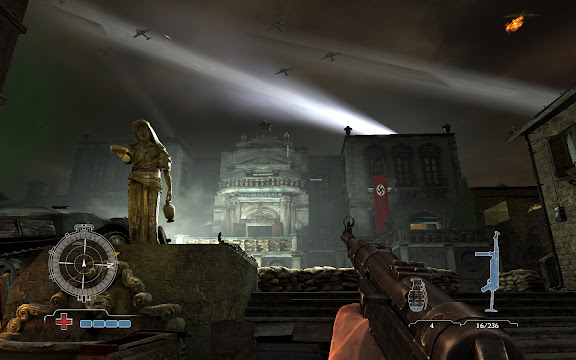
去年就让我垂涎已久的游戏,但最近玩起来却很失望.巨大的十字准星,人物像穿了溜冰鞋一样滑动.最高难度下敌人也显得那么弱智.没有想继续下去的念头.
Assassin's Creed 刺客信条
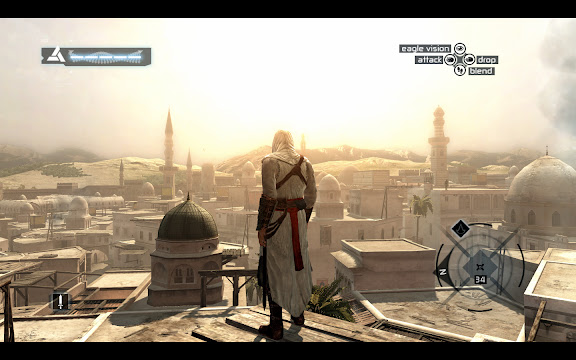
貌似是关于研究人物深层记忆碎片的主题,说到底也就是扮演一名古代刺客,在一座亚欧古城中完成任务的事情.游戏的各种操作很爽快流畅.用手柄操作感觉更佳.有点类似三国无双那种的,但环境没有那么激烈,自由度更高一点.而且你可以选择高调还是低调的去完成任务.感觉还不错,这个是需要慢慢研究的.另外,用手柄操作时,常常会因为再进游戏而找不到手柄,这个倒是很麻烦.
PES2009 职业足球2009
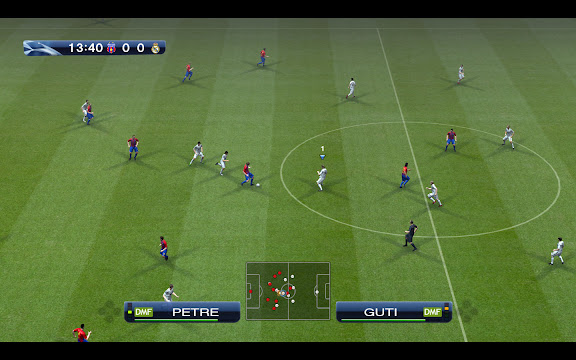
这个实际上就是WE胜利十一人系列的欧化版,最近刚出的09代.由于得到了欧洲冠军杯的授权,可以名正言顺的打冠军联赛咯.感觉上人物更不粘球了,传接球失误增多,而快速的短传需要玩家更精准的手柄控制方向,难度加大了不少.但比起08,并不会有不适应或别扭的感觉.第一局我选皇马对巴萨输了个1:4,但第二局就习惯了,打对方3:0.最高难度,时间15分钟.游戏的界面和以往相比改动较大,各个选项有点像拼贴图似的,但个人觉得没有前作的感觉舒服.适应吧.
FarCry 2 月底将会推出,还有FallOut 3,还有COD 5...真是个让人激动的日子!
西甲联赛第七轮 皇马2:1胜马德里竞技拿下同城德比

周日凌晨两点,西甲开始第七轮.皇马客场挑战同城德比马德里竞技队,比赛在马德里市的另外一座球场,卡尔德隆球场进行.这里是马德里竞技的主场.
哨声响起后三十秒钟,皇马的第一脚射门,同时也是范尼的第一脚射门,就打进了一粒角度刁钻的远射.范尼看来对禁区之王的美誉已经感到厌倦了,这几场比赛可以看到,范尼即使在禁区之外,也纷纷利用远射创造威胁.
皇马1:0领先.
但随后的比赛,本来可以表演出一场进球表演的皇马,却被主裁判盲目的拦腰砍断.范尼一个漂亮的补射被吹越位判无效,劳尔一个精彩的趟过门将射门被吹越位无效,更令人瞠目的是,在主裁判合理的罚下对方一名动作恶劣肘击斯内德的球员后,却紧接着不合理的为了找平衡而将本该判罚黄牌的范尼直接红牌罚下.要知道,皇马没有了范尼,就像巴萨没有了梅西一样,失去了箭头人物.随后的比赛,陷入混乱和平庸.
而第85分钟,马竞的西毛Simao,打入一记漂亮的任意球,扳平了比分.皇马1:1平马竞.
当皇马的球迷开始抱怨裁判,抱怨这个无奈的结局,抱怨舒斯特尔为什么没有换上萨维奥拉的时候,比赛已经到了第95分钟了,而这时,皇马新换上的德伦特,在一次次失败的传接跑动中,居然成功的带球冲入了禁区,被荷兰同乡马竞后卫海廷加撞倒.点球!
伊瓜因操刀主罚,我也在心头默念.哨响,射向左前方,球门的右角.球被门将摸了一下,但还是无悬念的进了.
2:1,终于赢下了这场对方多一人的比赛.
周三凌晨,也就是明天凌晨.皇马将开始冠军杯客场对尤文图斯的比赛.
2008年10月6日星期一
西甲第六轮,皇马主场2:2平西班牙人
10月6日凌晨进行的第六轮西甲联赛,皇马主场两球平西班牙人.皇马之前的不败战绩因此被终结.
皇马的突出问题,还是在于没有稳定的进攻点.随机性随意性太强,前场比较混乱.劳尔独中两元,但没能挽救球队.海因策表现积极,但两个失球也与他有关.作为后卫,海因策应该多向另外三位后防大将学习学习,不要专吃第一下.
其实整场下来,皇马机会不少,超过西班牙人.伊瓜因,罗本,拉莫斯,迪亚拉,都曾在极佳的位置接触到皮球,更可以完全不受干扰的将球传给致命的范尼或劳尔.但立功心切,频频盲目的大脚,葬送了本应该极力拿下的三分.
斯内德伤愈复出,但全场几乎看不到他的身影,有过一脚远射,但此后表现平庸.范德法特很抢眼,但运气并不会总围着他转.范尼则在为数不多的精准射门中证明自己的水平,但对方门将实在厉害.
皇马的左路防守一直是个问题.实际上,即使罗伯特卡洛斯在的时候,也常常会因为他的助攻而丢球.但卡洛斯的助攻创造的机会更多,而掩盖了这个缺陷.而后的马赛洛,有卡洛斯的风范,但也存在冒进的问题,现在,即使是主力左后卫海因策,也在不断的重复这些错误.而且海因策致命的缺陷在于,他从不观察身边是否存在危险.冠军杯对泽尼特的比赛,他就因为不知道身后有人而漏顶,被对方打进一球.而今天,他是两个错误犯齐了,第一次被塔穆多进禁区,对方一个扣球他就吃了,被判罚点球.第二次身处门前,又因为未察觉身后有人而漏球,导致关键的一粒失球.我其实喜欢激进的后卫,受卡洛斯的影响,但我不认为激进就代表着冲动和冒失,也不代表着不断送球给对方.希望海因策迅速弥补这些缺点.
这场比赛比较压抑!
2008年10月1日星期三
Games Most Wanted !

有些玩过,有些没玩过,有些甚至还没出.
但冲着要换个新显卡的份上,就算玩过5遍的,我还是准备再探望一下他们!
*Fallout 3(RTS)
Stalker : Clear Sky
*Farcry 2
*Alan Wake(ACT)
Alone in Dark : Near Death Investigation(ACT)
*Gran Theft Auto IV(ACT)
Company of Heroes(RTS)
Commandos(RTS)
*Brothers in Arms : Hell's Highway
*Call of Duty : World at War
Call of Duty : Modern War
Medal of Honor : Airborne
BioShock
F.E.A.R
Crysis
Prey
Doom 3
Quake 4
Unreal 3
Half Life 2
Lost Planet
Splinter Cell : Double Agent
Rainbow6 : Vegas 2
Frontlines : Fuel of War
Turok
TimeShift
Armed Assault : Queens Gambit
Serious Sam 2
Boiling Point : Road to Hell
Project : Snowblind
Close Combat : First to Fight
*Legendary
*Shellshock 2 : Blood Trails
*Left 4 Dead
排名不分先后,*号的还没出,()以外的都是FPS.想到了新的收藏了再改!
我的目标显卡是9800GTX+,加一块640(或者1000)GB的硬盘,在手笨眼花之前再厮杀一次,然后幸福的死去...
哇哈哈哈哈...哈哈哈....哈....嗝屁!
欧洲冠军杯联赛 皇马客场2:1胜泽尼特

皇马被这只俄罗斯的西伯利亚虎咬得满身是伤,但最终,范尼割中了老虎的大动脉,老虎的体力慢慢消耗殆尽,死去了...
这么形容,完全是在赞美这头俄罗斯野兽.但事实就是这样,皇马开场就制造了对手一个乌龙球,捡了个莫大的便宜.然后局面完全成了一边倒,皇马被泽尼特围攻.不消多时,泽尼特就打进了一粒漂亮的入球.
如果不是范尼在31分钟打入了一记绝妙的死角球,皇马可能会被老虎给分尸...
这还仅仅是上半场.
下半场,虽然双方都没有继续进球.但泽尼特的攻势,会让你感觉比赛再多一分钟,他们就能扳平,多两分钟,他们就能反超似的.真是郁闷,即使是俄罗斯超级联赛中的强势领头羊,也不至于将堂堂西甲头名打成肉包子吧.两个联赛水平几乎一个天上一个地下啊.
泽尼特的阿尔沙文还是让人开了眼,这小子看上去坏坏的,还很阴,但脚法确实有两下子.
范尼,依旧的,就那么酷.全场没射几次门,那一记只剩30度的射门就掐住了老虎的命门.
伊瓜因,很拼命,几次突破的机会把握得不错,但射门的水准似乎又降了下来.
罗本,失败.太求表现反而频频贻误战机.
范德法特,高水准,一贯的.尤其是和伊瓜因做的摆传配合,一绝.
卡西利亚斯,神了,他是皇马的最后一口气,今天还有门柱帮了他.
还有佩佩,迪亚拉,德拉雷德,拉莫斯,表现都非常出色.对得起黄金后防线一说.不过海因策,要为皇马的丢球负责,这一点令他今日逊色不少.最后换上的德伦特和萨维奥拉,前者是马戏团来的吗?后者依旧的,没多少时间去表现,很可惜!
皇马这种冠军杯的表现,让人很担忧,希望仅仅是因为一周双赛过于疲劳和客场俄罗斯凌冽的天气所致...
2008年9月30日星期二
Day Blind
9月28号下午,依阳同学在深圳科美医院动了眼科手术.
即日起,开始当导盲犬小Z.
每天六次滴眼药水.
出门摸索着遛弯儿.
晒晒太阳.
......
很想买一块640G,单碟容量320G的大硬盘.从徐卓那里拷来一份EWQL Pro XP的管弦乐音色,却找不到更多的空间了.目前有1TB的大硬盘,但单碟容量小,碟数多,速度慢,散热也不好!
尽管我有主机硬盘640G,移动硬盘1720G,但居然会空间不够用......
因为:
1.我是音色收藏达人;
2.我是御宅男;
3.我是电影下载狂.
抽时间去买硬盘咯!!!
......
不想做东西.现在白天精神,晚上规矩的睡觉.实在不是做音乐搞编曲的最佳生活规律啊.
乏!
怎么办?
豆瓣!
No!
平静,平静!
多拍些照片,多玩些后制吧.

2008年9月29日星期一
西甲联赛第四轮第五轮,皇马保持着胜利!
本周四,进行了西甲的第四轮,当时并没有立即将战果补上.
皇马7:1战胜了希洪竞技,其中,范德法特完成帽子戏法,独进三元无可挑剔的进球,劳尔梅开二度,包括一记无与伦比的挑射,福将伊瓜因锦上添花,再下一城.遗憾的是,皇马也丢了一个很低级的球.
昨天,周日凌晨,皇马也打完了第五轮的比赛.因为下周三四是冠军杯联赛的原因,最近的比赛密度很大.
昨天的比分是2:1,皇马赢下了皇家贝蒂斯.比赛很艰难,开场不久,海因策就头球破门,但随后比赛陷入极度的沉闷状态,下半场,贝蒂斯获得一记点球,皇马的马赛洛在回防时失手将对方球员碰倒,被判点球和红牌罚下.比分变成1:1.然而在终场结束前的五分钟,范尼,这个周游了全场没有机会,却一直被舒斯特尔信任的球员,在罗本创造的一次反击机会下,直面贝蒂斯门将,将球打入死角.皇马赢得了客场宝贵的三分.
同时,我也看了紧接着进行的巴萨对西班牙人的同城德比,抱怨一下央视5的转播质量,幻灯片似的比赛画面.而巴萨似乎在攻占一个不可能攻陷的城池.西班牙人积极的防守让巴萨人整整全场都像一只鸽笼外的野猫,张牙舞爪却无计可施.比分一直维持在1:1,下半场还出现了球迷骚动,比赛因此中断了10分钟.最后,比赛往后顺延过了六点.央视却因为早间新闻而停止了转播.立即上网查询,巴萨居然最后获得了一记点球...戏剧性啊戏剧性.
对巴萨的哈维还是很欣赏的.不过他们的主帅瓜迪奥拉实在搞笑,上轮巴萨对皇家贝蒂斯的比赛,瓜迪奥拉翻着白眼瞪着上来拥抱他庆祝的埃托奥,似乎因为被对方惊吓住了,并弄乱了自己的西服而不爽,哈哈,真是娘娘腔!
范尼,依旧是好样的.90分钟的比赛,范尼永远只需要那么几秒钟,就可以改变一切.
劳尔,他和大家一样,默默的接受现实,但现实并不那么残酷,他还有自己的位置.而萨维奥拉,这只阿根廷来的小兔子,前景却那么迷茫...
2008年9月22日星期一
西甲联赛第三轮,皇马客场2:0小胜桑坦德竞技
凭借着伊瓜因助攻德拉雷德的一个推射进球,和范尼的一记巧妙的小角度远射,皇马不疼不痒的在客场拿下了桑坦德竞技.但皇马的对手 - 巴萨打得更加出色,他们在客场以6:1的悬殊比分轰炸了希洪竞技的球门,梅西独中两元.
巴萨真是可怕...
皇马的客场蓝色队服煞是好看...
Leica中文摄影杂志
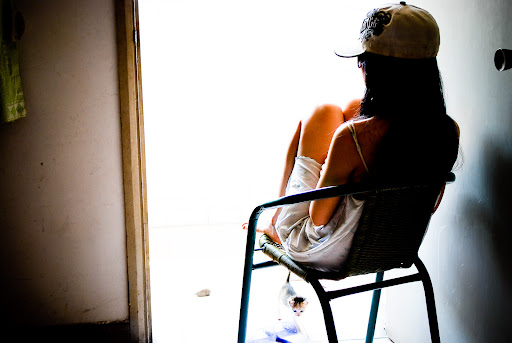
『My Best Shot』我最棒的作品:Lise Sarfati Posted: 21 Sep 2008 05:59 PM CDT  "当我们15岁时,每个人都开始想,我们将变成怎样的大人..." —— Lise Sarfati "当我们15岁时,每个人都开始想,我们将变成怎样的大人..." —— Lise Sarfati我一直想捕捉到平常生活中不平常的瞬间。这张照片上的女孩名叫Sloane,住在加州奥克兰市,当时我正在拍摄一个名为"La Vie Nouvelle(The New Life)"的项目,拍摄对象是偏远小城市里正处于青春期的女孩们,我希望捕捉到她们最自然的神态——在家里、街巷、学校、便利店里.... Slone是我一个朋友的朋友,十五六岁的女孩,拍摄地点在她和母亲妹妹一起住的阁楼上,你可以看到,她背后有一道厚重的铁门,门的另一边是她的卧室——一个没有窗户的小房间,不过,她并没有因此而不开心,反而把自己的小天地布置得非常新潮。 我从不与我拍摄的任何一个女孩接触很久,以免任何不自然的瞬间出现。因此,我只是静静在一旁看Sloane做她自己的事情,等待我期待的瞬间出现。一台安静的旁轴相机,一支35mm镜头,在自然的光线下拍下这一瞬间。 http://www.leica.org.cn 我很好奇人们是如何看待自己的,当我们15岁时,每个人都开始想,我们将变成怎样的大人。当我第一次遇到Sloane时,她很害羞,戴着假发套,似乎已经开始构建一个新的自己,她很漂亮,但是却不满意自己的身材。她生活的空间非常具有戏剧性,她自己也坚信着自己对未来的希冀。 我很喜欢这张照片,因为它有一种特别的神秘感,多年以后,每当我重新审视这张照片,都会找到一些我当初并没有看到的细节和感触。 关于『Lise Sarfati』 出生:奥兰市,阿尔及利亚,1958年 学历:自学 灵感:"影响我最多的是文字和书籍,摄影师则有Philip-Lorca diCorcia, Nan Goldin以及Cindy Sherman" 高潮:"拍摄La Vie Nouvelle(The New Life)系列的时期" 低谷:"在俄罗斯的10年,我一直在寻找最极端的环境与可能,虽然我喜欢这段疯狂的经历,但是这的确也是段沉闷低落的时期。" 最想拍的项目:"在日本继续拍摄La Vie Nouvelle(The New Life)" Tags - 我最棒的作品 , my-best-shot , 女摄影师 推荐阅读
 |

2008年9月21日星期日
Leica中文摄影杂志
『Time』一周摄影图片精选:Sep 12 - 18,2008 Posted: 20 Sep 2008 09:03 AM CDT  链接: 《Times》新闻摄影图片精选 http://leica.org.cn/tag.php?tag=%E6%96%B0%E9%97%BB%E6%91%84%E5%BD%B1 链接: 《Times》新闻摄影图片精选 http://leica.org.cn/tag.php?tag=%E6%96%B0%E9%97%BB%E6%91%84%E5%BD%B1 September 12-18 Tuesday, September 16, 2008 Sand Blast 摄影师:Tech Sgt Jerry Morrison 在巴格达的一次电视采访前,国防部长Robert Gates与一名记者寒暄,背后正刮着沙尘暴。 With a sandstorm blowing behind him, Defense Secretary Robert Gates greets a reporter on his way to a television interview at Camp Victory in Baghdad. Friday, September 12, 2008 Veiled 摄影师:Bernat Armangue / AP 一名巴勒斯坦女子在前往耶路撒冷Al Aqsa清真寺的路上。 A Palestinian woman makes her way to Jerusalem's Al Aqsa Mosque to pray during Ramadan. Wednesday, September 17, 2008 Golden Throne 摄影师:Diego Azubel / EPA 2008北京残奥会上参加闭幕式表演的演员。 Performers take part in the closing ceremonies for the 2008 Paralympic Games in Beijing. Sunday, September 14, 2008 Oil Slick 摄影师:Smiley N. Pool / 高岛上的一个抽水机,德克萨斯州在飓风后泄漏的原油与水所包围。 A pump jack in High Island, Texas is surrounded by oil and water after Hurricane Ike swept through the region. Tags - 新闻摄影 , 时代周刊 , time 推荐阅读
|


2008年9月20日星期六
Leica中文摄影杂志
Posted: 18 Sep 2008 06:13 PM CDT  纽约国际摄影中心(International Center of Photography)从9月19日开始将有4个新摄影展: 纽约国际摄影中心(International Center of Photography)从9月19日开始将有4个新摄影展:Susan Meiselas(苏珊·梅塞拉斯):In History "In History"是Susan Meiselas作品在美国的第一次总体回顾展,这名女摄影师从上世纪70年代开始就成为纪实摄影领域最具影响力的摄影师之一,以一种非常尖锐和直接的方式重新定义了纪实摄影师与被拍摄者之间的关系,并在此后不断被评论家所引述论辩。 Cornell Capa(科内尔·卡帕): Concerned Photographer Cornell Capa是第一个使用"Concerned Photographer"来描述那些在作品中展现出强大的人道主义力量,并试图以此来改变世界的摄影师的人,此次影展将通过Cornell的拍摄作品、杂志文章以及朋友关系来重新探寻这些先驱的故事,同时亦是ICP向创始人的一次致敬。 America and the Tintype:美国与锡版摄影 锡板摄影术是十九世纪最让人好奇、却未被深入研究的摄影术之一,作为银板摄影术的廉价替代品,锡板摄影术是美国南北战争期间最流行的摄影介质,也因此留下不少具有历史研究价值的作品。此次展览一共将展出150幅ICP收藏的锡板摄影作品。 http://www.leica.org.cn Living with the Dead: W. Eugene Smith and World War II 此次影展以尤金·史密斯在第二次世界大战期间拍摄的最震撼人性的作品为核心,除了杂志出版的照片翻版外,还包括史密斯自己亲手放大的数张原版作品,例如"海上的葬礼"(1944),"Leyte的医院"(1944),"塞班岛手捧婴儿的士兵"(1944)等。 Tags - 摄影展 推荐阅读
|





2008年9月19日星期五
皇马赢来欧冠杯的首轮胜利!
战胜博里索夫这样弱小的对手,并没有什么值得庆幸的.但还是要祝贺一下皇马的球员,毕竟在转出罗比尼奥以后,在没有更换血液的情况下,皇马依靠上赛季的老旧阵容,依然打出了气势,这是值得肯定的.而范尼,古蒂,拉莫斯还有迪亚拉的表现让人倍感欣慰.
随着国家队员的回归,皇马的后防线出现齐整,右后卫拉莫斯,中卫卡纳瓦罗和海因策,左后卫马赛洛(这小子表现越来越好了,似乎巴西小子打边卫是皇马的专利?卡洛斯,西西尼奥,马赛洛...)中场由范德法特,古蒂,加戈和罗本担当,前锋则是一贯的劳尔加范尼的搭档.
开场后不久,10分钟左右,皇马在前场进攻,禁区前堆满了博里索夫的防守球员,古蒂看到了右侧助攻上来的拉莫斯,巧妙的将球从两名博里索夫后卫中间传递过去,拉莫斯当即一个推射,皮球入网.1:0.打到差不多一半的时候,加戈受伤,接着示意自己坚持不了,被迪亚拉换下.
小天王拉莫斯,惊现黄金脚法!

下半场第57分钟,还是在前场,劳尔接迪亚拉的直塞球,护球直突禁区打门,球被门将扑出弹到博里索夫防守球员身上落下,范尼本能的用腿一撞,将球碰入对方球门.2:0.
老臣范尼,依然那么卖命!

随后的比赛,变成了皇马的围攻.但皇马的毛病开始凸显,围攻得势不得分,打法复杂不见成效.迪亚拉和拉莫斯变得十分积极,左突右撞,不时冷射.即使对方被红牌罚下了一名后卫,即使福将Higuain上场,也拥有一次极佳的破门机会,但都最终没能扩大比分.
劳尔整场表现平平,除了态度积极且帮范尼制造了进球外,没有特别闪光之处.
这样的胜利,还是不能令舒斯特尔满意!

但无论如何,这也是胜利,希望赢球的感觉能不断的延续下去!
2008年9月18日星期四
Leica中文摄影杂志
Posted: 16 Sep 2008 07:32 PM CDT  PDN近日对过去一年中全美最畅销的50本画册进行了一次简单的回顾,挖掘出一些非常有趣的共性和观点。 PDN近日对过去一年中全美最畅销的50本画册进行了一次简单的回顾,挖掘出一些非常有趣的共性和观点。去年卖得最好的摄影画册是Alistair Fothergill的《Planet Earth: As You've Never Seen It Before(你所没见到过的地球)》,成功原因自然是BBC和Discovery频道热播的同主题节目"Planet Earch"。除此之外,TOP10名单中亦不乏家喻户晓的名字:Ansel Adams,Edward S. Curtis以及Annie Liebovitz,其中还包括一本Shannon Thomas Perich拍摄的肯尼迪家族肖像册。动物摄影也在过去一年中表现出色,Jill Greenberg的《Monkey Portraits(猴子的肖像)》以及Rachael Hale的《Snog》均大放异彩;在非主流摄影领域,一本有关高尔夫的画册获得了不少高端消费者的青睐,Dian Hanson的《Big Book of Breast(波霸)》亦毫无悬念地登上榜单,剩余的位置则被各种自然、风景画册、历史图片收藏所占据。  在这50本画册中,有5本非常值得特别关注,其中两本各自开辟了一个被出版业忽略、但是具有强大需求的读者空间(《I Was Cuba》以及《Wise Women》);由国家地理和Getty共同出版《100 Days In Photogaphys》代表了两大世界上最出色图片库的协作能力;《Hungry Planet》具有极强的时效性和媒体性,描述宠物的《Snog》则堪称去年最适合当作礼物的摄影画册....最后值得一提的是,这5本书的价格都没有超过35美元——价格往往是最后的杀手锏。 在这50本画册中,有5本非常值得特别关注,其中两本各自开辟了一个被出版业忽略、但是具有强大需求的读者空间(《I Was Cuba》以及《Wise Women》);由国家地理和Getty共同出版《100 Days In Photogaphys》代表了两大世界上最出色图片库的协作能力;《Hungry Planet》具有极强的时效性和媒体性,描述宠物的《Snog》则堪称去年最适合当作礼物的摄影画册....最后值得一提的是,这5本书的价格都没有超过35美元——价格往往是最后的杀手锏。『SNOG: A Puppy's Guide to Love 』 排名第2http://www.leica.org.cn 摄影师:Rachael Hale @Little, Brown and Company, 2007 出版格式:精装硬皮,160页,19.99美元 谁也没想到,一本关于小狗的画册能获得如此斐然的成绩,不过,这本画册刚好满足了商业成功最必要的几个要素:打动人的照片,精致的封面设计,便宜的价格以及精准的定位——很多人一次买下数本用来送人。 『I Was Cuba』 排名37http://www.leica.org.cn 摄影师:Kevin Kwan @Chronicle Books, October 2007 出版格式:精装硬皮,304页,24.95美元 除了Kevin Kwan不知疲倦的宣传外,这本书的确对古巴裔美国人产生了极大的吸引力,满足了这个一直被忽略的读者人群。 『100 Days of Photographs』 排名第9 出版格式:精装硬皮,320页,35美元 http://www.leica.org.cn 这本书的照片来自国家地理的图片收藏以及Getty的Hulton图片库,但是这两个机构的名字就足以保证这本书的畅销,除此之外,这本书也引起了媒体们的广泛关注,35美元的定价亦物美价廉。 『Hungry Planet: What the World Eats 』 排名25 摄影师:Peter Menzel 、 Faith D'Aluisio 出版格式:平装软皮,288页,24.95美元 这本画册的成功在于选取了一个全世界人最具共性的话题——"食物",单是话题本身便已足够引起人们的好奇与关注,再加上诸如时代周刊等媒体的推波助澜,自然获得读者的青睐。 『Wise Women』 排名29 摄影师:Joyce Tenneson @Bulfinch Press, April 2002 出版格式:平装软皮,144页,19.99美元 这本肖像集在2002年的精装版时就曾引起关注的,作为一本以65-100岁女子为主角的画册,吸引人的自然已不仅仅是照片,访谈中人物的故事与思索才是整本书的精髓。 Tags - 摄影画册 推荐阅读
|




Adobe Photoshop Lightroom 2 Review by Ken Rockwell

Introduction
Nomenclature
Adobe has four products called "Photoshop."
Photoshop CS3 is the big professional pixel-by-pixel graphics program that's become a household verb since 1990. CS3 comes in several strengths.
Lightroom is more formally called "Adobe Photoshop Lightroom 2." This is what I'm reviewing in this article. Most people just call it "Lightroom."
Photoshop Elements is a basic version of Photoshop CS3 for picture editing. It is quite flexible at a bargain price. I have not used the recent versions, however previous versions have had a very large portion of Photoshop's abilities while being even even easier to use than the full version of Photoshop. The latest versions of Photoshop Elements even do web galleries and Flash galleries.
Photoshop Express is a free online version.
This Review
Cameras are easy to review. Every camera is designed to do pretty much the same thing as every other camera: take pictures. With decades of experience, it's easy for me to use a camera and then speak volumes about its performance for almost every kind of use.
Software is very difficult to review. Every piece of software is designed to do something completely different. Even if two pieces of software are designed for the same purpose, every piece of software will do it differently.
I work in Photoshop CS2 so much all day and night that I actually have had dreams where all I do is work in Photoshop CS2. That's scary, but even I use only a small fraction of CS2's total capabilities.
Everyone has their own way of working their photos. I use iView to sort, organize and pick my photos. If I print them, my JPGs usually go straight to my local Costco's photo kiosk without editing. If I need to edit an image, or simply resize and brand it with my © for this website, I use Photoshop CS2. I use Dreamweaver 8 to put it all together into this website.
Because you all want to know what I think of Lightroom, I got a copy to evaluate. There is no way I could spend months working in it all day, every day to cover every possible nuance.
If you're already a Lightroom 2 expert, there isn't much I'll be able to tell you that you don't already know. I have used it enough to let you know what I think of it overall, and as compared to other software. That's the point of this review.
Lightroom 2
Personally, I haven't used use Lightroom much, but half of my friends use it a lot, and every single one who uses Lightroom loves it. (I explain my workflow in detail if you care.)
Unlike most products, which do a little customer research and then hide out for 18 months blindly developing what some guy in a big company thought we wanted, Lightroom has been developed with constant, continuing and intense feedback from all users via Adobe's beta system.
This is why I don't need to spend much time trying to comment on how I like the program. Unlike most products in this world, Lightroom is an amalgam of what we all wanted. This is why photographers love it so much.
Lightroom 2 just works. It installed instantly, and everything is just obvious to figure out. I never had to resort to any help or training; I just fiddled around and it worked.

The Sync Button.
The biggest reason I hear photographers love Lightroom is because it's trivial to apply the same correction, regardless of how complex it may be, to as many other images as you like. If you want to lighten and change the WB on 100 images after you set the first one, just hit "Sync" and it applies the same correction to them all. Make a mistake or want to tweak the tweak? No problem, just do it: none of the changes are permanent.
Lightroom isn't just a sorting program. Lightroom is about five different programs all rolled into one, all of which work extremely well together.
From what I can see, Lightroom 2 is the world's first single piece of software that could be the only piece of photo software a moderately serious photographer might ever need.
Library
Lightroom sorts. That's the Library part. Personally, I prefer iView for this, but that's just me.
Develop
Lightroom edits and optimizes. That's the Develop part. I use Photoshop CS2 for this, which can do more, but is a lot more difficult to use.
The biggest single addition in Lightroom 2, that finally makes it a program for real photographers, is that it can do localized burning, dodging and corrections.
Lightroom 1 was only a kid's program since it couldn't do any localized corrections. The ability to alter different parts of an image has been the most critical part of being a photographer since the 1800s.
Slideshow
Lightroom does slideshows, the Slideshow part.
Lightroom optimizes for printing, and can create multiple images on pages. That's the Print part. I don't use this.
Web
Lightroom not only can make web galleries, it can upload these pages via FTP all by itself! You don't need any other program for uploading.
Just enter your own web server information, or you can publish directly from Lightroom 2 to your SmugMug, Picassa, Flickr and other accounts.
Lightroom can make HTML galleries, which are the same type I do by hand the hard way in Dreamweaver 8, as well as make spiffy Flash (animated) galleries.
Lightroom is loaded with nice graphics, much nicer than the galleries I do manually for myself.
Lightroom 1
I tried Lightroom 1.0 back in 2007. It was still klunky, at least in the early version I tried, and I never got too excited about it.
Lightroom 2 is a huge improvement over Lightroom 1. Not only does everything just work better in Lightroom 2, the lack of localized editing made Lightroom 1 no more than a toy.
Installation
Lightroom 2.0 is easy to install and start using.
After the super-easy installation, it was easy to type in my serial number and just go.
I wish all software was this easy. I doubt that I had to spend as much as 60 seconds to get it loaded, installed, up and running.
Lightroom is an efficient program. The whole package only needs about 80 MB of hard disk space. 80 MB is the size of a few RAW files. Heck, to you people who still use bloated software which measure hard disc wastage in gigabytes, 80 MB is only 0.08 GB!
You can install Lightroom and not even notice any loss of hard drive space, even on a computer way too old to run it. Thank you, Adobe!
Operation
Lightroom is a dynamic program, meaning everything is calculated on the fly as you work.
The advantage is that you never have to hit Reload to see what you've got or what you're doing, but the disadvantage is that it uses a lot of computing power just to scroll the screen or look at images at 100%.
I have a suspicion that I'm overly sensitive to this, but my biggest complaint is that images and thumbnails always take a moment to pop in. If you scroll the Library view, it can take a second to redraw the thumbnails sharply. This drives me up a wall, and is one reason I would not use Lightroom for myself, but I've never heard anyone else complain. By comparison, a program like iView which generates catalogs, takes a while to catalog the first time, but runs instantly every time after that.
If you want to sort through images faster at 100%, go to LIBRARY > PREVIEWS and select RENDER 1:1 Images. This way Lightroom will render these in advance, which is especially helpful for sorting through raw images. Otherwise, it takes a moment to load each image as you're trying to flick through them at 100%. Pre-rendering these at 1:1 makes your Lightroom library, saved in your Pictures/Lightroom folder on Mac, much larger, and also takes a while to crunch on all the images.
After I did all this, it still could take a moment to draw each image at 100%, but at least raw files didn't take any more time than JPGs.
Selecting
Most programs, just like LIghtroom, allow you to select between showing all your thumbnails, or just one big image on screen.
Lightroom also has a 2-up feature where you can see before and after (adjustments), or compare a "picked" image to others you might prefer.

Lightroom has a very flexible feature, called "Survey View," that allows us to show any number of images at the same time, all made to fit the screen.
We can select 10 "maybes" (CMD+Click on each one to select while in Grid View), and show them by hitting the Survey View button. All 10 then show on-screen. As we dump the weak ones (CMD+Click to remove them from the selection), the survivors grow to fill the remaining space on screen. Press "P" to mark them as a pick.
Photo Editing: The Develop Pane
This is where the fun happens. I'm particularly impressed that Lightroom seems to do the best job of any software I've used, including Photoshop CS2, when it comes to how well the sliders do what we need them to do.
Sliders like Exposure, Saturation, WB and Fill Light just give great results, without all the fiddling needed with curves in Photoshop CS2. These sliders are decades beyond Photoshop's primitive Lighten and Darken controls from the 1990s, or what conjures up easily with Photoshop CS' Curves.
Even working in Photoshop CS2 all day, I see myself using Lightroom 2 just for these superb adjustment tools. (Note: I'm still on old CS2. Lightroom is designed to integrate directly with CS3, and will work even better along with it.)
These exposure and WB adjustments work the same in JPG and raw. It's only been an old-wives tale that JPGs don't allow for the same corrections as raw.
Presets
If you find you have a favorite set (or sets) of adjustments (Develop settings), you can save and recall these as Presets.
Whacky Mouse Tricks

See the little doorbell with little triangles on top and bottom? Select an adjustment, click the magic mouse icon, and when you put the mouse over the image and click, moving the mouse up and down will change that adjustment for the image!
Easy Localized Adjustments!
One of the most basic and critical things I do all the time in Photoshop CS2 is to use adjustment layer masks for burning and dodging. These are critical to even the most basic photographic expression. Photographers have been doing this since the 1800s, but sadly, it's very complicated to do properly in Photoshop CS2 or other software.
Most photos benefit greatly by darkening the corners and lightening the center of attention. This puts the viewer's eye where it needs to go.
The photo below looks normal. You first see the kid's snarled face, a moment later notice that he's eating, and then notice the food tray. This is how the photo is supposed to read.
I had to lighten his face so your eye went there first. I also darkened the rest to be less distracting. Roll your mouse over to see how it looked before it was burned and dodged. THe out-of-camera original looks horrible by comparison.
This "horrible" is the result you'll get from any and every software that cannot make local adjustments. This creative use of lightening and darkening different parts of an image is what makes Ansel Adams immortal.


Baby Ryan in a speed-eating contest. Roll mouse over to see as shot.
It's easy in Lightroom 2. Hit the button with the dot around it, and draw on your image. You'll see the diameter of the "brush" with which you're drawing on your image, and at default, it will lighten the areas over which you draw.
This mask box is where you set what happens as you paint with the mouse, and where you set the size of the brush.

You can go back and edit the areas affected later (use the Erase option), and you can change the amount of adjustment (just change the sliders).
Lightroom 2 has also made selections much easier. Use the Auto Mask option to try it.
Grad Filters
To the left of the Local Adjustments control is a grad filter control.
Grad, or graduated, filters allow you to darken or lighten tops or bottoms of images.
The grad filters are very flexible.
Grad filters are usually used to darken skies.
XMP Data: Save your JPGs unchanged with encoded, non-destructive edit data
The changes you've made to an image, even in JPG, can be saved as XMP data as part of the file.
JPG, TIFF and many formats (except raw) have the native ability to store XMP information along with the image.
When read by normal software, you get your unedited image.
When read by the program with which you made the non-destructive edits, like Lightroom, that software will apply your edits and allow you to alter them further.
In other words, you can save your files to outside of Lightroom, and if you bring them back in later, will be right where you left off.
Raw Profiles
Raw images are rendered without regard to how your camera was set.
I like to shoot with my camera's saturation cranked. This means that the raw versions of these images look dull in Lightroom, since Lightroom ignores what I set in-camera.
If you prefer raw images to look more like what you set in-camera, Adobe offers some canned raw profiles which will simulate what you had in-camera. They won't read every little setting you may have dialed-in in your Nikon Picture Controls or Canon Picture Styles, but they will get you in the ballpark for presets like PORTRAIT, VIVID and NEUTRAL.
You can find these at Adobe Labs.
Likewise, some more advanced users may like to create a raw profile of their own to apply to each raw image. Look for the Raw Profile Editor at Adobe Labs.
Complaints
Lightroom works great. My issues below are largely irrelevant to you, because they are simply how I'd prefer Lightroom to be designed, as opposed to how Adobe took feedback from zillions of real users to give us all what we really want.
I prefer, and am used to, using iView to sort through my images.
I prefer iView because I can have the grid display show me exactly what I do (or don't) want to see about an image's EXIF, and because I can maximize the amount of space used for thumbnails and minimize the screen space wasted as borders around images. I can fill the screen with zero borders if I want. I can get more and larger thumbnails on screen with iView compared to Lightroom's Library pane, which means I can see more images better and faster in grid view, which helps me sort through thousands of images faster. To me, time really is money when it comes to sorting.
Likewise, in iView not only do I have complete control over a zillion aspects of how the Library pane is displayed (and with what data), I can save each of these display settings and recall them instantly depending on what I'm sorting. Lightroom just doesn't have this flexibility.
Lightroom takes too long to redraw the screen as I scroll in the Library pane. I have zero tolerance for anything that slows down zipping through my files. I expect my computers to show me my images, not to be fuzzy for a moment while the software figures it out. Those lost moments, multiplied by hundreds of times a day, cost me money. I'm on a quadruple-processor 2.5 GHz G5 Mac with 4.5 GB of RAM, and iView is faster for scrolling though grid (Library) views on my 800 MHz laptop than Lightroom is on my quad G5.
My cameras shoot video and audio files. iView deals with all these files, while Lightroom ignores my videos, and ignores my audio notes. Audio notes are important; that's why pro cameras record them. Lightroom can't handle them.
So what? I use a different tool than Lightroom for sorting. It's very important to me, but I'm not you.
CMD+W not only closes Lightroom on Mac, it quits it!
Recommendations back to top
For photo editing, I've been a full Photoshop user since the mid-1990s. Now, with Lightroom 2's ability to do local corrections, it's probably all that even serious photographers need. For most photographers, Lightroom 2 is probably better then Photoshop CS3 because most photographers are more likely to be able to figure out the adjustments in LIghtroom 2.
As a web designer, I'm sticking to the graphic abilities in full Photoshop, mostly because I already know how to do them in my sleep. For normal people who will probably never be comfortable with Photoshop CS3's adjustment layer masks, required for even basic proper burning and dodging in Photoshop, Lightroom is superior because normal people will be able to figure it out.
I have a lot of specialized editing needs (remember I run a website, too), and even dream in Photoshop CS2. I have no reason to change my workflow because a new tool comes out.
For most normal people, yes, get Lightroom 2! It's a lot more than just an editing and sorting tool.
I do this for a living. I'm shooting or, in my computer, all day, every day, so I get whatever tools I need to let me get the job done as fast as possible.
For me, iView is the best way to lay out sort and select what I shot.
For normal people, Lightroom 2 can replace a host of more expensive programs that most people will never figure out.
PLUG
I support my growing family through this website.
If you find this as helpful as a book you might have had to buy or a workshop you may have had to take, feel free to help me continue helping everyone.
If you've gotten your gear through one of my links or helped otherwise, you're family. It's great people like you who allow me to keep adding to this site full-time. Thanks!
If you haven't helped yet, please do, and consider helping me with a gift of $5.00.
The biggest help is to use these links to Adorama, Amazon, B&H, Ritz, and J&R when you get your goodies. It costs you nothing and is a huge help to me. These places have the best prices and service, which is why I've used them since before this website existed. I recommend them all personally.
Thanks for reading!
