显示标签为“PC Game”的博文。显示所有博文

2009年1月27日星期二

GTA4,你需要知道的某些东西!

GTA系列游戏中,车辆一直都是最受喜爱的载具.尽管开着飞机畅游长空,鸟瞰都市,尽管开着摩托享受速度与激情,这些都是快乐的体验.但比起驾驶一辆豪华的Limo来说,都够不上范儿!来认识一下GTA4中的所有车辆吧,哪些强劲,哪些帅气,哪些难看得要命:


带我去看车车!!!


车辆不光用来酷炫,还是逃避警车追逐的好工具,但有时候逃不掉了,那就硬着头皮操家伙咯.于是乎,枪支,成了GTA系列第二大令玩家痴迷的装备.看看这个页面,也许能找到你趁手的:

带我去看枪枪!!!


多个朋友多碗饭,朋友多了活到老,古老的谚语无一不述说着朋友之间珍贵的情谊.拍马屁要拍到点儿,GTA4中Niko的朋友们,都有哪些特点,尤其是那些美人儿,眼光有多么挑剔?要想投其所好,增加好感,最好看看这个:

带我去看朋友!!!


在庞大的LC城迷失了自己的方向么?两种解决办法:一,买一本纽约地图;二,用Google Map.不过这里的GoogleMap就不再Google纽约了,而是实实在在的LibertyCity.不信,你去看看:

带我去看地图


摘自gta4.net

The Majestic 逃脱之王?

Brandon Smith has recently released the most epic(yes i'll say it, epic) machinima, using GTAIV, to date. The video includes awesome shoot-outs, chases and camera angles, all rendered and uploaded to view in HD. This video truely shows how good GTAIV actually is, but it also shows what bugs the video editor and the game still have, which is sad to see almost 2 months after the PC release. Brandon Smith had the following to say: "I am a 3rd year college student and I'd love to do this kinda stuff for a living but since theres no money in it... I'm almost forced to do something else... This will be my last project for a while, until I can get my feet on the ground in a new semester of college." Without further ado, watch the HD version of The Majestic right here and don't forget to comment!

这是一部被该网站编辑强烈推荐的巨作.视频包括了很多刺激的射击追逐镜头.视频完全展示了GTA4的高自由度和电影感觉,但游戏发布后的一些Bug和问题依然存在.作者Brandon Smith是个大学三年级学生,他可能不短时间离开GTA4电影制作,因为手头比较紧...不管怎样,看看视频先!


事实上,这的确是我看过的最长的一部视频了,基本上可称为完整的短片.整个视频的结构还算比较紧凑的,不过对白实在太少,另外选择的音乐并没有认真的进行剪切,这些都比较遗憾.逃脱大师的整个逃脱行为很流畅,重点的出场和特写都具备.可以算长片,但不能算是巨作.我们国内的好多朋友都可以做得比这个更精彩!

2009年1月24日星期六

GTA4 Patch 1.02 Released Today?


News from gtaforums.com

Version 1.0.2.0
GRAPHICS FIXES / ADDITIONS:

* Graphics Menu:
o Added "Water Quality", "Shadow Quality" and "Reflection Resolution" sliders in graphics menu.
o Added "Definition" and "VSync" toggles in graphics menu.
* Rendering optimizations.
* VSync optimizations.
* Nvidia 7000 series
o Mirrors fixed

PATCH 1 FIXES:

* Direct input device support is now disabled by default and can only be enabled with the commandline: "-usedirectinput"
* Supported Controllers:
o Logitech Dual Action
o Logitech RumblePad 2
o Logitech Cordless RumblePad 2
o Saitek P2500
* Supported Wheels:
* Note: Controls are unmapped, user must map controls using Manufacturer's mapping software.
o Logitech G25 Racing Wheel
o Logitech Wingman Formula GP Wheel
o Logitech MOMO Racing
o MOMO Force
o Driving Force Pro
o Driving Force
o Formula Force
* Added Commandline "-notimefix" which will help some users who are experiencing the fast/slow gameplay issue after patch 1 was applied.
* Fixed a bug that caused some users to experience endless looping audio effects after Patch 1 was applied.
* Benchmark was disabling sounds after Patch 1 was applied, this is now fixed.

CRASH FIXES:

* Unable to load game fixed - For some users, a DOS window would open and close immediately upon Game Launch, GTA IV would never launch.
* Hang on Initial Game Loading Screen fixed - Some users experienced Character Art Loading screens in an endless loop.
* Certain causes of the RESC10 error have been fixed (Alt-Tab, change resolution). If you experience an RESC10 error, you must restart.
* Certain Instances of the "GRAND THEFT AUTO IV has encountered a problem and needs to close" error have been fixed.

VIDEO EDITOR:

* Naming clips is now mandatory on Export .

MULTIPLAYER:

* Legitimate players being kicked from Multiplayer matches has been fixed.

GENERAL ADDITIONS / FIXES:

* Wireless 360 controllers not functioning - Triggers were full on/off, fixed.
* In the Options menu accessed from the Title Screen a �Game� section has been added with the ability to turn Clip capture on/off.

下载链接

Key Code Constants

在GTA4中使用ASI插件,极有可能需要用到以下内容,即键盘按键的实际程序代码,即便自己不会也不用亲自做asi程序,也会在使用不同mods中因为按键冲突而需要自己亲自修改,那么,仔细看吧:

Key Code Constants
按键 代码值 描述

Key Codes(综合功能键)
vbKeyLButton 1 Left mouse button
vbKeyRButton 2 Right mouse button
vbKeyCancel 3 CANCEL key
vbKeyMButton 4 Middle mouse button
vbKeyBack 8 BACKSPACE key
vbKeyTab 9 TAB key
vbKeyClear 12 CLEAR key
vbKeyReturn 13 ENTER key
vbKeyShift 16 SHIFT key
vbKeyControl 17 CTRL key
vbKeyMenu 18 MENU key
vbKeyPause 19 PAUSE key
vbKeyCapital 20 CAPS LOCK key
vbKeyEscape 27 ESC key
vbKeySpace 32 SPACEBAR key
vbKeyPageUp 33 PAGE UP key
vbKeyPageDown 34 PAGE DOWN key
vbKeyEnd 35 END key
vbKeyHome 36 HOME key
vbKeyLeft 37 LEFT ARROW key
vbKeyUp 38 UP ARROW key
vbKeyRight 39 RIGHT ARROW key
vbKeyDown 40 DOWN ARROW key
vbKeySelect 41 SELECT key
vbKeyPrint 42 PRINT SCREEN key
vbKeyExecute 43 EXECUTE key
vbKeySnapshot 44 SNAPSHOT key
vbKeyInsert 45 INS key
vbKeyDelete 46 DEL key
vbKeyHelp 47 HELP key
vbKeyNumlock 144 NUM LOCK key


KeyA Through KeyZ(字母区按键)
vbKeyA 65 A key
vbKeyB 66 B key
vbKeyC 67 C key
vbKeyD 68 D key
vbKeyE 69 E key
vbKeyF 70 F key
vbKeyG 71 G key
vbKeyH 72 H key
vbKeyI 73 I key
vbKeyJ 74 J key
vbKeyK 75 K key
vbKeyL 76 L key
vbKeyM 77 M key
vbKeyN 78 N key
vbKeyO 79 O key
vbKeyP 80 P key
vbKeyQ 81 Q key
vbKeyR 82 R key
vbKeyS 83 S key
vbKeyT 84 T key
vbKeyU 85 U key
vbKeyV 86 V key
vbKeyW 87 W key
vbKeyX 88 X key
vbKeyY 89 Y key
vbKeyZ 90 Z key


Key0 Through Key9(键盘区数字键)
vbKey0 48 0 key
vbKey1 49 1 key
vbKey2 50 2 key
vbKey3 51 3 key
vbKey4 52 4 key
vbKey5 53 5 key
vbKey6 54 6 key
vbKey7 55 7 key
vbKey8 56 8 key
vbKey9 57 9 key


Keys on the Numeric Keypad(小键盘区数字键)
vbKeyNumpad0 96 0 key
vbKeyNumpad1 97 1 key
vbKeyNumpad2 98 2 key
vbKeyNumpad3 99 3 key
vbKeyNumpad4 100 4 key
vbKeyNumpad5 101 5 key
vbKeyNumpad6 102 6 key
vbKeyNumpad7 103 7 key
vbKeyNumpad8 104 8 key
vbKeyNumpad9 105 9 key
vbKeyMultiply 106 MULTIPLICATION SIGN (*) key
vbKeyAdd 107 PLUS SIGN (+) key
vbKeySeparator 108 ENTER (keypad) key
vbKeySubtract 109 MINUS SIGN (-) key
vbKeyDecimal 110 DECIMAL POINT(.) key
vbKeyDivide 111 DIVISION SIGN (/) key


Function Keys(功能键F1~F12)
vbKeyF1 112 F1 key
vbKeyF2 113 F2 key
vbKeyF3 114 F3 key
vbKeyF4 115 F4 key
vbKeyF5 116 F5 key
vbKeyF6 117 F6 key
vbKeyF7 118 F7 key
vbKeyF8 119 F8 key
vbKeyF9 120 F9 key
vbKeyF10 121 F10 key
vbKeyF11 122 F11 key
vbKeyF12 123 F12 key
vbKeyF13 124 F13 key
vbKeyF14 125 F14 key
vbKeyF15 126 F15 key
vbKeyF16 127 F16 key

This is how looks and works perfection!

转自GTAForums.com,未经测试,仅供参考!

This is how looks and works perfection!
by RON123

As you can know, I am "RON123" for you, have always wanted to play perfectly GTA IV -the most difficult PC game to run on your computer.
Few days ago I found the last twick that will boost PFS for me, the one that will give me the best GTA IV experience that I have ever had.

Not only that I probably can play better then you and 99% of gamers, I am also getting one of the best quality frames in the world.

First of all the results: I able to play a very smooth gameplay in the next settings:
1920x1200 res, max settings gameplay.


GTA requirements:

First I must explain what high edge hardware GTA IV requires.
This is the only game in the market that
requires any 3-4 cores normal CPU and in addition high amount of VRAM.
As a result, one of the above is a common "bottleneck", It means that upgrading your rig without solving the bottleneck won't really improve performane.
I for example, OC my q6600 to 3.00 GHZ (while using the stock cooler) and did'nt get big improvement, and in addition OC my GPU:
core speed 600 to 642
Shader clock 1500 to 1605
memory clock 900 to 1070
Note: numbers in MHZ, OC while using the stock cooler

This upgrades won't change much for me, because my bottleneck in max settings is the 512 VRAM MB.
The normal framerate (not my) depends mostly on the CPU speed.
However, the quality of the frames depends mostly on amount of VRAM, as textures quality and resolution go up then VRAM requirement will increase either. .
Bad CPU will cause low framerate and shortage of VRAM will cause all the known bugs and poor image quality (all bugs can be solved).


There are many performace mods that cost game quality for increasing the framerate, I choose not to use them, because I want to play perfectly as Rockstar originally intended.
Now I will post all the useful twicks that won't harm the quality of the frames:

First, the common twicks:
1. Use windows XP/7 ,-Vista is killing the framerate (some 25%-50% in average).
2. Close all running programs, including GTAbrowser.exe and RGSC.exe (social club, if you use it).
3. Download the last driver and patch.
4. Give to GTAIV.exe high priority in task manager
5. Switch off the capture movie option (in game's menu).
6. Clean all the unnecessary services, can be done in two ways:
A. use msconfig: press "start", then "run", type their "msconfig", in "genetal" press "selective startup" uncheck first second and fourth marks, then look in this window for "services", press it, than mark "hide all microsoft services", after it press "Disable all", then press apply and restart windows in a clean mod, you will see that most of your games will run better, in the new mod don't enter the Internet and other programs (only games), from "msconfig" you can choose "Normal startup" for going beck to all of your programs (will restart windows).
B. Download AlacrityPC program (link ), which allow you do save a clean profile and load it before lunching the game without restarting Windows (my favorite).

Second,the less common twicks:
7. use Xliveless mod (link) just to get rit of social club and windows live, it won't change performance.
8. I using the RMClock to lock the throttle of the CPU while in game, it seems that gta iv doesn't know to do it itself like any other game.(link)
9. To improve the overall frames quality it better to force AA (I did it from Nvidia's control penal). Do it only if you got some 30 frame in gameplay, because it uses resources and will harm the framerate(the improvement is really nice but not like an original AA)
10. Now I will explain how to use the commandline, the most importent twicks for best performances:
"-norestrictions": will allow the game to use max settings but wont boost performance.
"-novblank": Won't limit your framerate and will allow it to go as high as it can, very useful.
"-availablevidmem x.xx": this command will solve magically all the bugs (missing textures/ slow loading textures/ flickering shadows and more) and can improve any quality of frames. Use it only if you has really bad quality (otherwise ignore it). This twick uses your RAM in addition to your VRAM, as a result it costs in a lower framerate, as more RAM you use then the drop in framerame will be bigger. You don't need to use a lot of VRAM just 200MB-300MB of extra RAM will solve all the missing textures and 50MB-80MB of ram will solve all the little bugs like flickering objects. x.xx is a multiplier of your RAM. For example 2.00 will make 500MB VRAM to "500MB VRAM" + "500MB RAM" = "1000MB totul memory" usage.
"-percentvidmem xxx": I thought that this command is useless, but I found out few days a ago, that this commande is just want I needed for perfect framerate, you must use it while using "-availablevidmem x.xx" in order to get 100% of your VRAM usage, which will boost extremly the framerate for users of ""-availablevidmem x.xx". Set xxx to 100.
11. This is a optional twick, it will change the way your rig uses memory, it should improve the min framerate but will cost in a lower max framerate,I advice to just try it for a 15-20 fps gameplay. Change this: "Open regedit (from "run") and go to hkey local machine/system/current control set/control/session manager/memory management and change disablepagingexecutive and largesystemcache to 1". -you can test it and change it back to 0 like it was before.

My experience:
The q6600 2.4 GHZ will give 35-50 frames in any settings, 512MB of VRAM is too low for even 1680x1050 high textures gameplay, the result is many bugs including the missing textures,a 1920x1200 max settings gameplay requires 750MB of memory in order to be free of even small bugs, I set "-availablevidmem 1.5" for usage of 749MB, my framerate drops to 28-32 while driving in an OC Q6600 to 3.00, This OC gave me just extra 3-4 FPS. this is my full commandline: "-norestrictions -novblank -percentvidmem 100 -availablevidmem 1.5".
It's very hard to test the unstable framerate of this game, I advice to test with fraps (benchmark won't give real results) while normaly driving the town in daylight.

proof:
here is a gameplay (20-25 fps) in max settings + AA, I used the stock speeds of my CPU and GPU (no overclockig), Fraps takes some 4-5 frames from game, so add them (in your mind).(I used all the twicks above without number 11) -max settings +forced AA Gameplay in youtube

I hope I really helped to most of you, and if you already knew it all, so this guide is for an average gamer.
Note: I ready to prove all I sayed above, and I will post extra staff in this thread later.

edit :
I said in the post, that this is not a real/original AA, GTA won't support it. forcing AA from nvidia, even a high AA of 8xQ is not the real thing, it is just looks a little better, the camera moves smoother, it is not a big change, just the overall is better, I will try to capture it and post, I dont have an HD camera.
I looked pixel by pixel and this is not a real AA, I shound't even use this word.
it looks like it is filtering better when this option is on, the colours looks sharper.
I just should say better image quality and that is it.

希望以上方法对GTA4Gamer有效.

2009年1月23日星期五

Grand Theft Auto IV TweakGuide

Grand Theft Auto IV TweakGuide
written by Ettans @ iv-scripting.pri.ee
Update: New information in Part 2 concerning FarClp @ 3500.00

Part 1: Patching the files

First thing you should do, is download the GTA IV Magic Patcher by aru, in order to edit the files. Now, once you've downloaded and extracted it, open it and you'll see this:


If you haven't already patched your files, click on Validate Files, once done, click on Apply Patch. Now you can edit your GTA IV files and you'll also have backups of every file, with .magic as their file extension. You can revert the files anytime, by clicking on Verify and then Recover. You can now close the program.


Part 2: Changing the view-distance

That was quite easy, wasn't it? Browse to your Grand Theft Auto IV\pc\data folder and open the file named timecyc.dat. I suggest you use Notepad++ for the editing, since it'll look very messy in the default Notepad. Once you have the file open, look for the fiel called "FarClp", this controls the distance from which buildings, trees etc. are drawn at. The smaller the value, the shorter the view-distance. The default value is 1500.00, which is very big and quite pointless. To change the view-distance, simply change the value to a smaller one, I use 500.00 personally. If you're either too lazy to change it or whatever your reason is, I've attached the edited file at the bottom of this thread.

Comparison screenshots:

FarClp: 3500.00

Note: This gave me about +5-8 FPS, I suggest you try it out. I'm not entirely sure, but I think this has got something to do with PreFetch.

FarClp: 1500.00 (Default value)


FarClp: 750.00


FarClp: 500.00


In-game settings used:

Note: All screenshots were taken at the same place, time and weather, on-top of the GetALife building.

Download timecyc.dat (FarClp 3500.00)
Download timecyc.dat (FarClp 750.00)
Download timecyc.dat (FarClp 500.00)
Note: Extract it using WinRar or any similar program and place the file in your Grand Theft Auto IV\pc\data folder.

Part 3: Disabling shadows

Disabling the shadows doesn't have any significant impact on the games performance, but it might be useful for you if you're really struggling with the FPS. In order to disable the shadows, you should first download Alice by Alexander Blade. Extract the file and place the Alice folder in your main Grand Theft Auto IV folder. To disable the shadows, you can either make the script yourself, or download the one I made, using Alexander Blade's example script(s). To re-enable the shadows, simply delete the disable_shadows.lua in your Grand Theft Auto IV\Alice folder.

Shadows: Enabled


Shadows: Disabled


Note: All screenshots were taken at the same place, time and weather.
Download disable_shadows.zip

Part 4: Lowering bloom intensity

Currently there's no way to completely disable the bloom in Grand Theft Auto IV, but you can lower it's intensity. To do this, browse to your Grand Theft Auto IV\common\data folder and open the file called visualSettings.dat. Open the file and find the following names:


misc.BloomIntensityClamp.HD
misc.BloomIntensityClamp.SD
misc.BloomIntensityClamp.SD.ps3


Simply change their values to 0.00. If you don't want to edit the values yourself, download the visualSettings.rar at the bottom of this part and extract it to your Grand Theft Auto IV\common\data folder.

Bloom intensity: Default


Bloom Intensity: 0.00/Disabled


Note: All screenshots were taken at the same place, time and weather.
Download visualsettings.zip

Part 5 (Optional): Lowering the amount of rain particles

A lot of people are having trouble playing Grand Theft Auto IV with it's rainy weather, this is caused by the amount of it's particles (mostly). I can't guarantee that this will give you any performance boost, but It did make my gameplay smoother. To change the amount of rain particles, browse to your Grand Theft Auto IV\common\data folder and open the file called visualsettings.dat. Find the following fields there:


rain.NumberParticles.ps3
rain.NumberParticles


Here are the values I use myself:


rain.NumberParticles.ps3 256
rain.NumberParticles 1024


So, that concludes my Grand Theft Auto IV TweakGuide. Thanks a lot for reading, hopefully this tweak will help some people. If you want to post this on your forums/website, please don't copy & paste, but put a link to this thread.

Credits:

aru (Making the GTA IV Magic Patcher)
Anders (Telling me about the rain particles & FarClp 3500.00)
Rockstar (For making such un-optimized game)

2008年12月1日星期一

GTA 4. 从此以后...


过不几天,GTA IV就要问世了.也许明天,或者后天.

一时手痒,到处找GTA的视频预热,不过这回找到了一个国外玩家用GTA模板制作的小电影,居然看得我感动不已.

片名叫"从此",The Days After,我也不知道这么称呼是否准确.描述的是致命病毒席卷都市后,一个生还者的喃喃自语和思考...


色彩,光线,角度,移动,音乐,台词,造型,一切都非常的舒服,夹杂着死亡后的痛苦和充满着平和的宁静,虽然那么矛盾,但就是这么默契.很感动......

2008年10月31日星期五

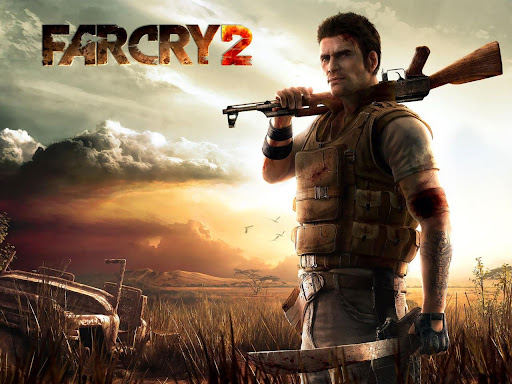
FarCry2初玩


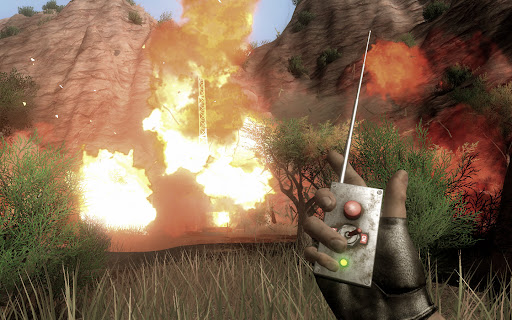
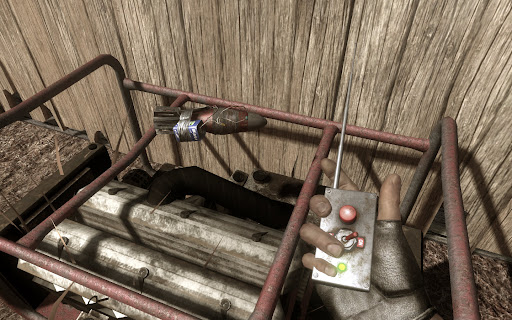
玩家需扮演一名前往非洲的刺客,刺杀当前造成非洲动荡局面的一个名叫Jackal的军火贩子,这家伙向非洲最大的两个敌对军团UFLL和ARP分别倒卖高级军火,造成局面的不断混乱.
在游戏初期,你根本无法活下来,到处都是AK,到处都是杀人如麻的暴徒,你的目标,刺杀Jackal,不得不缓一缓,还是先巴结UFLL或是ARP两派中的一派吧,完成他们的任务,你可以得到枪支,钻石,这些东西,可以让你在这个战乱的世界存活,也许可以让你离你的目标Jackal,更进一步.


加入UFLL帮派

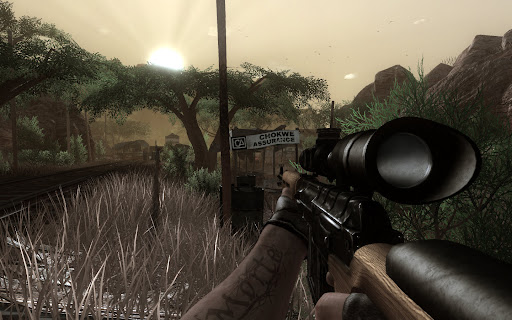
游戏拥有非常大的世界,意思就是地图,而且是无缝地图,意思是,你可以步行或者驾车,在地图上任意驰骋,而不会中断,不会出现新的地图在Loading...,当然,如果你乘坐游戏中的巴士,直接跨区,还是需要读档的.
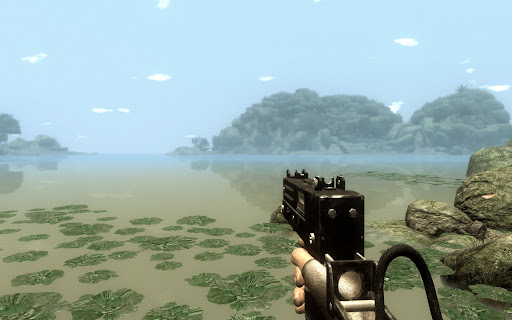
地图中有非常细腻详实的非洲地貌特征,除了众所周知的非洲大草原,还有森林,湖泊,甚至是一些常见的草原动物,如斑马,瞪羚,山羊,角马.可惜没见到有犀牛大象长颈鹿什么的.


还算丰富的地貌和天气

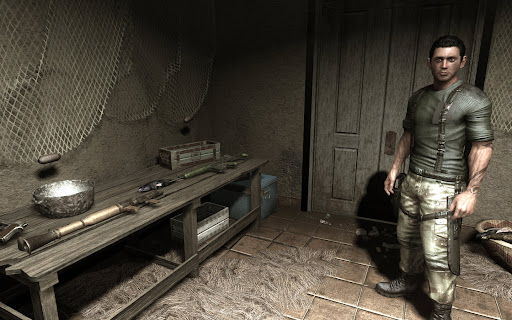
游戏有枪支损毁系统,即任何捡到的枪支,基本上都是半废的,可以射击,但时常会卡壳,还会爆膛.所以,如果你不愿意用钻石去购买全新的枪支,而是捡来的抢来的,你可能会面临路遇敌人而卡壳被活活枪毙,或者发射火箭弹却被炸到脚的危险.武器有最初级的大砍刀,有侦查用的无声手枪和消音MP5,也有中型的AK,M16和Dragonov,甚至大型的火箭筒和榴弹炮.你除了必须购买他们,还需要不断的花费钻石来升级他们(就是让他们卡壳爆膛的几率更低),全新的枪支也会慢慢用旧.


大到让人不知所措的世界

游戏的AI有点问题,敌人要么是对你视而不见,忙乎着自己的那套躲闪和偷袭理论,要么是对你大张旗鼓,恨不得整个车队都冲过来撞死你.可惜这样的话,前面说到的消音武器几乎就派不上用场,因为偷袭敌人某个哨卡,很少能不惊动他们的.杀死任何一个哨兵,都会马上被发现.随后无非又是高举高打了.这和刺客信条里面的HighProfile真是不谋而合,可惜的是,人家即使高调,大街上搞暗杀都没人看见.你这高调,几乎可以把非洲炸平了.


多种方式去摧毁一个目标

游戏缺少剧情化的过渡,情节异常的单调.即使是再单调的过关性游戏,也总得有几个新鲜的风景或是人物出马啊,这里面几乎全无.从一开始加入UFLL,执行各式各样的暗杀爆破任务,都后期被UFLL出卖,所有积蓄清零开始,游戏中的风景全部是从沙漠到湖边,再到森林最后到小镇,你也可以反过来走,但看到的也一样.游戏中还加入了Buddies情节,你可以在某些地点救出人质,而这些人质可能会成为你的伙伴Buddy,然后,他们不但可以在你快死掉的时候神奇的出现,救你半条命,还可以在你接到UFLL或ARP任务的时候,给你更多的线索.但问题是,UFLL或ARP的任务也许只用开车10公里,听了Buddy的建议,你可能需要绕20公里去找个线索,再绕回20公里去完成原先的那个任务.在没有新鲜剧情的驱使作用下,开车的过程,就像从深圳开到黄石一样,只能兴奋个半小时,接下来就是要命了.


也可以大材小用

载具,游戏除了传统的装载了机枪的越野车和汽艇外,还加入了小轿车和Jeep,对,那个著名的美国越野车名牌.此外,还加入了车载穿甲弹版的越野车和车载榴弹发射器版的越野车,还加入了滑翔翼.但这个滑翔翼我只碰到过两次,而且一点都不好玩.滑上三百米左右,就Biaji的啃泥了.很多玩家都期待可以由飞机开,显然游戏中那两个机场,和里面停放的非常逼真的私人飞机吸引了他们,而且游戏中,的确出现过玩家的Buddy开着飞机撒农药的剧情.可惜,没有听到任何消息,可以解开飞机的锁.

游戏里加入了全天候的概念,这不是首创,但效果确实不错,游戏中,除了每天固定的早晚变化,白天黑昼外,你会随机的遇上狂风骤雨还有沙尘暴.在有狂风的天气,你甚至可以用火攻的方式,直接将整个营盘的敌人烤全羊,不过,一定要注意风向.遇到实在糟糕的天气,你也可以选择睡觉,定个时间,然后天气,Piaji,就变了,只不过会不会变更糟就看运气了.

总之,游戏的环境营造得不错,但任务模式和AI人工智能,却实在低到不行.举个简单的例子,接到任务后,你第一件事情,就是从大概景新花园这里一路开到关外,然后杀死目标.你可以坐巴士去,但你得先开车去巴士站,而那里相当于从景新花园开到会展中心,坐上巴士到站了,你还得继续开车这么远才能到达目标所在地.而你前期准备的所有枪支,则几乎派不上用场,一把手枪,一只火箭筒,几颗手雷,可以解决大部分重复和无趣的战斗.而我怀疑到后期,没人可以挺过去和敌人鏖战,估计都是杀了目标就开车走人,因为太无聊了.

这个月,有很多分散玩家视野的游戏面市,FallOut3,NBA2K9,Bully,也许跟这些游戏一起上市,也许因为前作带给玩家的震撼,FarCry2的出现,和他的非洲题材,让不少人惊叹了一阵继而又失落了很久.

2008年10月21日星期二

最近玩过的一些游戏

换了新显卡,世界也变得模糊了.说出来也可笑,为了模仿出更真实的模糊效果,人们不得不花大量的钞票去追求更新更贵的显卡.

但还是蛮值得的.当你开启各种特效和渲染后,游戏中的世界果然多了一种奇异的调调.光线的眩晕,倒影的变化,最重要的是,任何移动都不再犹豫,行为举止都变得顺畅.

话说我的老哥们7900GS实际上也不是不值一提.07年包括之前的所有游戏,基本上都可以流畅的玩下来.问题是型号里面不带个8字,感觉跟不上时代.如今的9800GTX+,估计今明两年是不在话下了.

BioShock 生化奇兵


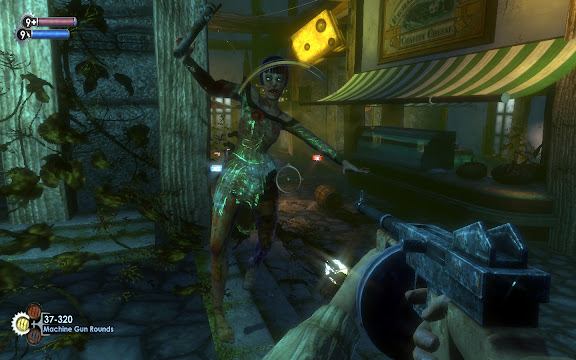
很复杂的游戏系统,剧情安排也有张有弛.剧情设定在二战后的大西洋海底,某人开发了一座海底城.主角飞机事故,无意中发现了此地,才知道自己将是决定这座城市命运的唯一.游戏的设定,包括环境,画面,音乐,音效都非常优秀,大量Ragtime的爵士乐和复古的装饰,除了那些面目可憎的Slicers,你会感觉像是置身于禁酒令时的美国芝加哥.由于游戏营造的背景比较复杂,在中文包出来之前,只能当成一个科幻系的FPS来玩,等完全汉化了,游戏中蕴含的人类文明之类的探讨才会慢慢浮现.升级补丁前的游戏有很多bug,比如字幕不对齐之类,不过打了补丁会好很多.

Brother in Arms : Hell's Highway 兄弟连之地狱高速


除了游戏本身,之中穿插的剧情不错.故事描述的是二战中,英美联军发动市场花园行动,希望以空降兵和步兵快速挺进荷兰安亨,随即杀入德军腹地的事件.事实是,英美联军错误的估算情报,包括一架坠毁的飞机所携情报被德军截获,最后惨败.游戏中的故事就是这一段,所以叫地狱高速.中间还发生了一些很诡异的事件,虽然只是主角内心压抑产生的幻觉,但还是给玩家不小的恐怖震撼.兄弟连的特点就是在狭窄的线路上行进,加上队友的火力支援.但这种模式久了,会让人疲劳和昏厥.好在游戏进程很短,大概7~8个小时就可以通关.另外,游戏中强化了光影效果,比如在月色下,人物就会映射出冷调的光线,而日光或炮火下,环境也相应的铺上暖色调.但按综合技术含量来说,它只能算10月到年底这个游戏大作狂风般席卷全球的暴潮中一滴慰藉心灵的雨水罢了.

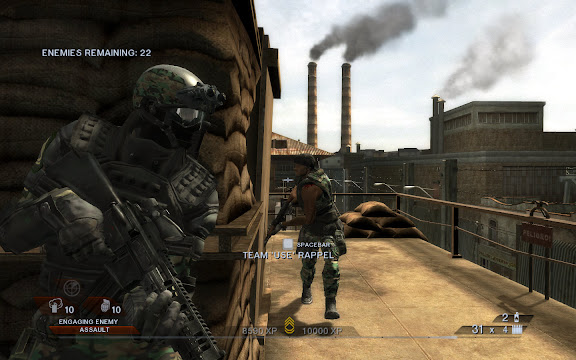
Rainbow6 Vegas & Vegas 2 彩虹六号维加斯系列


彩虹6是那个年代男生宿舍的唯一爱好.RB6是一个虚构的特勤小组,由国际反恐和维和组织管理.专门执行一些秘密暗杀啊营救人质啊拆除炸弹啊的任务,看来除去反恐和维和的名头开来,RB6干的事情和SWAT没什么俩样.
起先的RB系列讲究的是策略,先详细的在地图上分配任务,再带领三个分组分开执行.三个小组的暗号也很酷,A组叫Alpha,B组叫Bravo,C组叫Charlie,目标或敌人叫Tango.假设任务是进一座别墅,营救人质.你就得选择进入口,还要留意对方巡逻的路线等等,一旦被主动发现,对方都懒的跟你对打,直接就杀人质了.所以难度极高.
而现在的Vegas系列,似乎更讲求主观娱乐性,路线只有一条,队伍就你一支,敌人是基本上无穷的(我玩的最高难度),你必须活生生的杀出一条血路来.作为游戏一贯保持的低调作风,似乎从此开始转变,风风火火的和对方顶级武器冲杀,完全不像是特种部队做的事情,而似乎派军队来更合适.RB6和Ghost Recon幽灵侦察队开始没有区别了.
但画面的感觉还是不错,细腻的人物模型,维加斯金黄的阳光和逼真的光影效果.2代人物还可以使用不同的装备来打扮自己(当然,只是在身上安装各种护具和武器罢了),这些在好的显卡下表现得极为充分,而我也不在乎是否跟打仗一样了,手雷使劲的扔,不要命的冲着木板和墙角扫射,奶奶的,这种事真像是海军陆战队干的,枉我们RB6的老拥趸以前那番心思慎密.Vegas2似乎有致命的Bug,常常在loading后就黑屏跳出,我已经尝试了无数种网上的解决办法了,无甚效果.

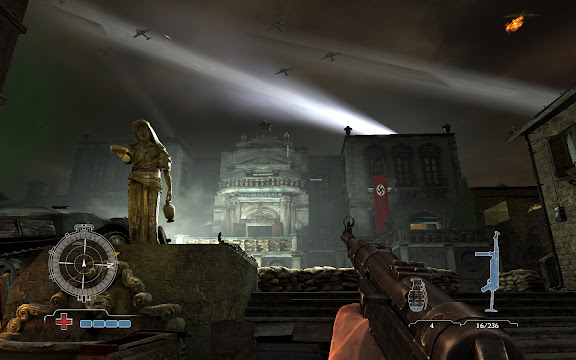
Medal of Honor : AirBorne 荣誉勋章之空降神兵


去年就让我垂涎已久的游戏,但最近玩起来却很失望.巨大的十字准星,人物像穿了溜冰鞋一样滑动.最高难度下敌人也显得那么弱智.没有想继续下去的念头.

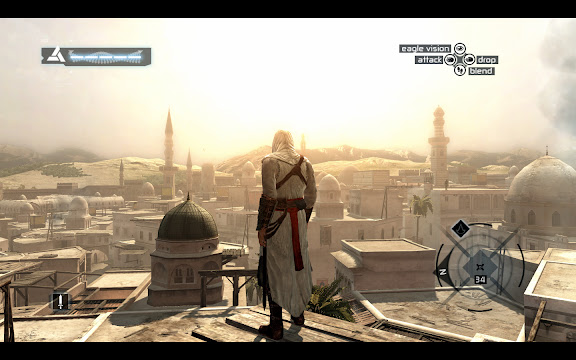
Assassin's Creed 刺客信条


貌似是关于研究人物深层记忆碎片的主题,说到底也就是扮演一名古代刺客,在一座亚欧古城中完成任务的事情.游戏的各种操作很爽快流畅.用手柄操作感觉更佳.有点类似三国无双那种的,但环境没有那么激烈,自由度更高一点.而且你可以选择高调还是低调的去完成任务.感觉还不错,这个是需要慢慢研究的.另外,用手柄操作时,常常会因为再进游戏而找不到手柄,这个倒是很麻烦.

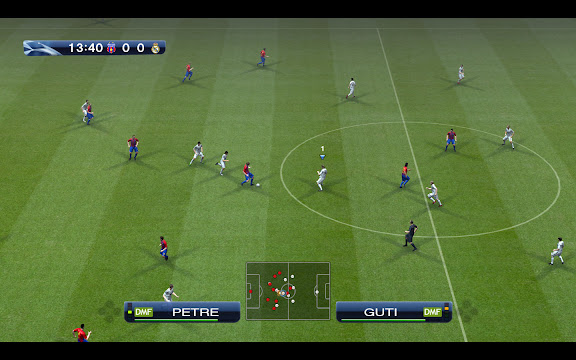
PES2009 职业足球2009


这个实际上就是WE胜利十一人系列的欧化版,最近刚出的09代.由于得到了欧洲冠军杯的授权,可以名正言顺的打冠军联赛咯.感觉上人物更不粘球了,传接球失误增多,而快速的短传需要玩家更精准的手柄控制方向,难度加大了不少.但比起08,并不会有不适应或别扭的感觉.第一局我选皇马对巴萨输了个1:4,但第二局就习惯了,打对方3:0.最高难度,时间15分钟.游戏的界面和以往相比改动较大,各个选项有点像拼贴图似的,但个人觉得没有前作的感觉舒服.适应吧.

FarCry 2 月底将会推出,还有FallOut 3,还有COD 5...真是个让人激动的日子!

2008年10月1日星期三

Games Most Wanted !


有些玩过,有些没玩过,有些甚至还没出.
但冲着要换个新显卡的份上,就算玩过5遍的,我还是准备再探望一下他们!

*Fallout 3(RTS)
Stalker : Clear Sky
*Farcry 2
*Alan Wake(ACT)
Alone in Dark : Near Death Investigation(ACT)
*Gran Theft Auto IV(ACT)
Company of Heroes(RTS)
Commandos(RTS)
*Brothers in Arms : Hell's Highway
*Call of Duty : World at War
Call of Duty : Modern War
Medal of Honor : Airborne
BioShock
F.E.A.R
Crysis
Prey
Doom 3
Quake 4
Unreal 3
Half Life 2
Lost Planet
Splinter Cell : Double Agent
Rainbow6 : Vegas 2
Frontlines : Fuel of War
Turok
TimeShift
Armed Assault : Queens Gambit
Serious Sam 2
Boiling Point : Road to Hell
Project : Snowblind
Close Combat : First to Fight
*Legendary
*Shellshock 2 : Blood Trails
*Left 4 Dead

排名不分先后,*号的还没出,()以外的都是FPS.想到了新的收藏了再改!
我的目标显卡是9800GTX+,加一块640(或者1000)GB的硬盘,在手笨眼花之前再厮杀一次,然后幸福的死去...
哇哈哈哈哈...哈哈哈....哈....嗝屁!

2008年7月16日星期三

马克思佩恩 Max Payne 游戏人物宣传照曝光

是不是很巧呢?Piggy昨天才说到辐射2和马克思佩恩是大学时最沉迷的游戏之一,今天就发现GS中文站更新了关于马克思佩恩的消息,不过这回不是什么新版本的问世,而是根据其游戏剧情所改编的电影宣传照一组.但无论如何,围绕着Max Payne这个无限疼痛的名字,总有眼神在关注着,终归是件好事,何况男主角还是大名鼎鼎的Mark Wahlberg呢,这家伙看上去呆呆傻傻的,却接连饰演了一堆大场面的电影,比如Boogie Nights演一个A片男星,Italian Job演一个足智多谋的大盗,Four Brothers演老大,Departed演警察,Shooter演全民公敌的神枪手,We Own the Night演那个唐僧般的哥哥,还有马上上映的The Happening......以下是原文:

《马克思佩恩》人物宣传照曝光 画面阴郁黑暗
日前,由马克·沃尔伯格主演的游戏改编电影《马克思·佩恩》(Max Payne)发布了最新人物宣传照,宣传照的主角就是马克思·佩恩本人,整个画面阴郁黑暗,其中几张更是马克思·佩恩在下着大雪的黑夜进行攻击的照片。《马克思·佩恩》改编自同名经典游戏大作,该游戏曾经风靡一时,深得游戏玩家喜欢,如今翻拍出电影版,使得众玩家多年的梦想终于成真。

《马克思·佩恩》故事讲的是,过去的三年中,由于妻子和孩子的意外死亡,侦探马克思·佩恩在痛苦、愤怒中自暴自弃,沉迷于麻醉品。但更糟的是,他发现自己的和搭档的死有关,在调查中他渐渐发现事情牵连到一位名叫瓦尔基里的黑手党老大,没有什么可以失去的马克思,化身为黑暗的复仇天使,深入罪恶之城……


责任编辑:张颖


以上是原文,Piggy要抱怨一下GS中文站的图片质量,另外,似乎很多童鞋对马克沃伯格来演马克思有大大的不满,但念在他们都一个家门的,宽容点啰.说实话,君不见他远看上去跟马特达蒙还很像呢!

转一张豆瓣的MaxPayne电影版的封面:


再送一张原版的MP的游戏墙纸:

2008年7月15日星期二

"辐射3"预告片及游戏视频

还记得上大学的时候,窝在"廉租房"内和另一个游戏迷师逸(这名字似乎不适合玩游戏,记性太差)一起玩FallOut2,打各种变异人和生化怪怪,那时候感觉有点像脱离尘世了,玩FO2,玩CS,玩Maxpayne......害Piggy逃了不少课,不过我可没有抱怨这些游戏的意思哦,这些比上课乐趣多多了......(比较丢人的是玩FallOut2我们最后用上了作弊器调钱买装备-_-!)

作者: Zhengogo 驱动之家
2008-07-15


Bethesda在E3展会期间公布了《辐射3》的最新预告片(BT下载),截图如下:

另有游戏视频奉上(BT下载),该作有望在今年第四季与玩家见面。


卡普空也在展会期间发布了《生化危机5》的预告片和游戏视频,并宣布该作将于明年3月13日在全球发售(日本提前一天)。

史克威尔宣布RPG新作《The Last Remnant》择期登陆PC平台,Xbox
360版本预计将于11月20号作全球发布(预告片在此),PS3版本上市日期尚待确认.


不过,与老版FO相比,区别也很明显,以前是RPG类型的,现在是半条命类型的,哦,不,是FPS第一人称视角的.看到这则新闻,心中竟有点惘然若失,回想那些记忆啊......
小猪发奋的说:"如果果果果果果果.....,能让我从头再玩一遍遍遍遍遍.....,我一定不作弊弊弊弊弊弊...!